The key features and how to use the app — on six pages, explained step by step with screenshots.
Contents Getting started · Training · Profiles, screening & programs · Analysis
sakkadentraining.ch Dr. phil. Romain Ghibellini · Quick guide
Saccade training
Overview & getting started
Getting started
Log in and get to know the home screen.
Saccade training is a web-based exercise environment for eye movements — saccades, smooth pursuit
and visual search — with 20 exercises across four areas. You log in with a username and password
— or via Google or Apple — and then go straight to the home screen.
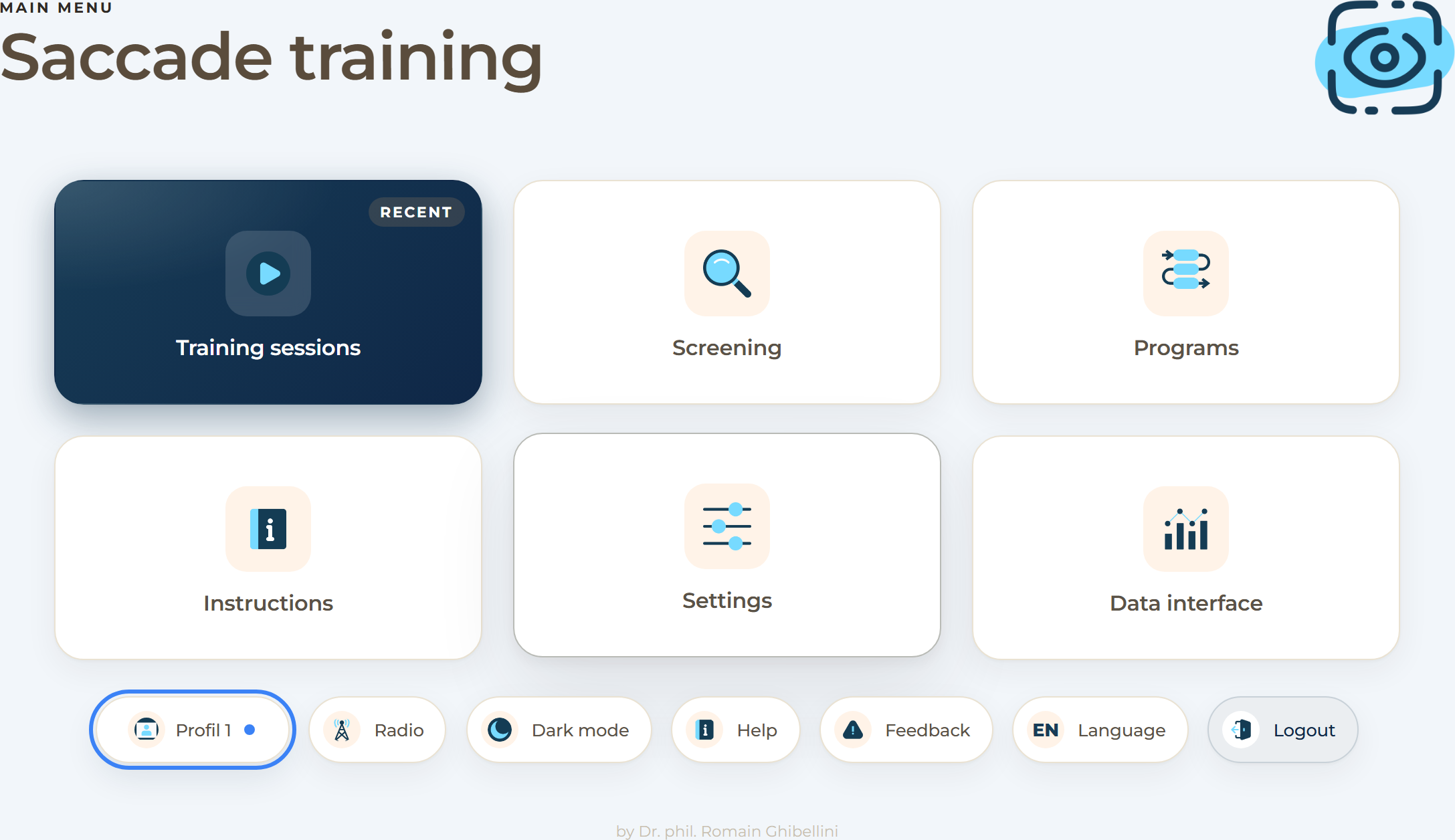
The home screen. The numbers follow the tiles from top left to bottom right.
1Training — select and start individual exercises.
2Screening — determine the starting level for each exercise.
3Programs — combine several exercises into a sequence.
4Instructions — explanation, demo and controls for each exercise.
5Settings — adjust parameters and difficulty.
6Data interface — view sessions and progress.
Good to know
Below the tiles is a bar of seven buttons: profiles, radio, dark mode, help, feedback, language
and logout. As a private user you can start straight away; therapists first select the person via
the «Profiles» button (page 4).
Overview & getting started02
Saccade training
Running a training
Training
Choose and start an exercise.
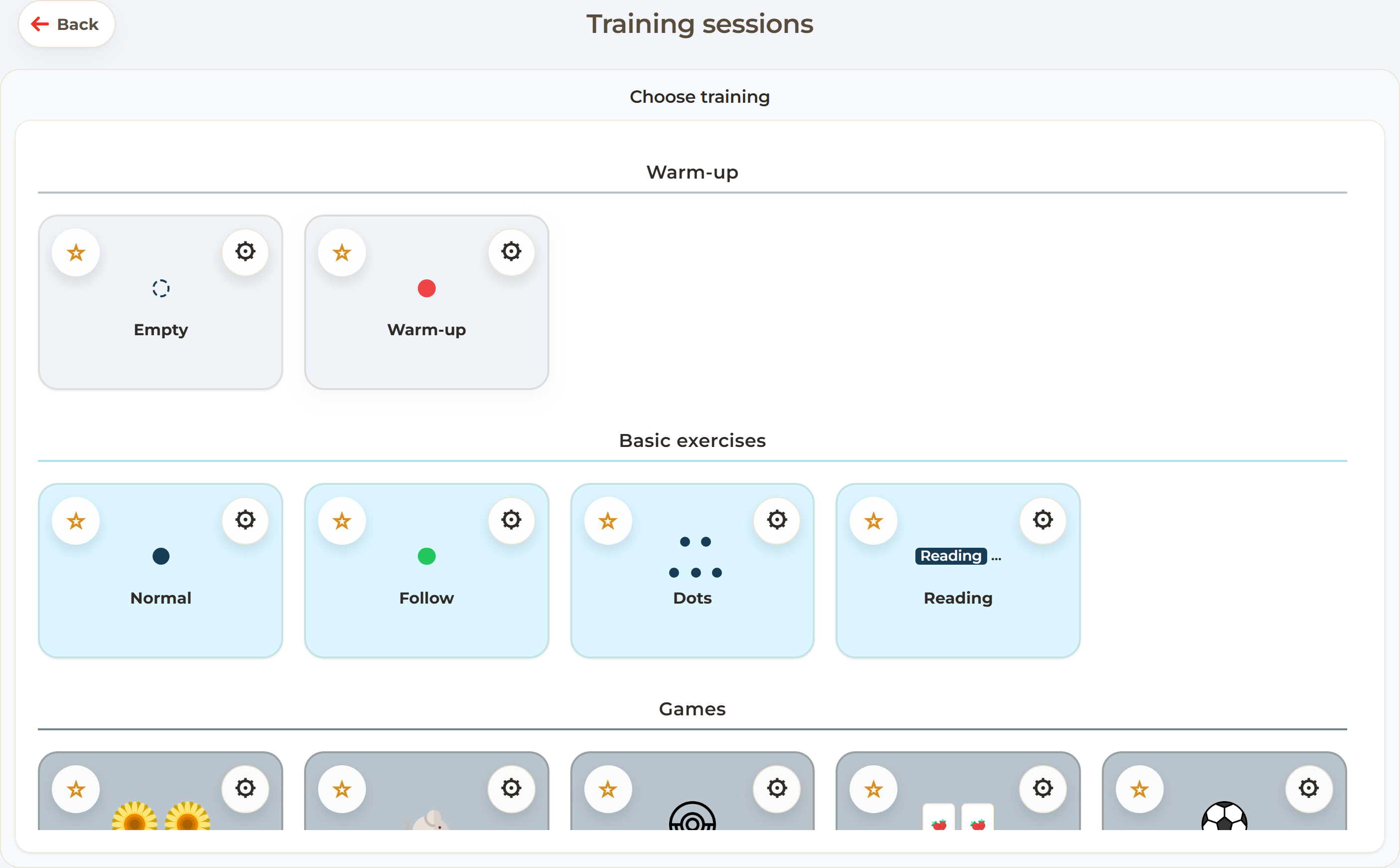
Trainings are the heart of the application. You choose an individual exercise from one of the
four areas — warm-up, basic exercises, games or webcam games — first view a short instruction
with a demo, and then start straight away.
Training selection. All exercises, grouped by area.
How to start a training
Choose a profile — therapists only: activate the profile of the person training. As a private user, start straight away at step 2.
Open «Training» — tap the Training tile on the home screen.
Select an exercise — an exercise from warm-up, basic exercises, games or webcam games; favourites appear at the top.
View the instruction — read the short explanation with demo and controls.
Train — during the exercise the buttons Skip and Exit are available at the top right.
Analysis — at the end you see the points and, where applicable, a new medal.
Most exercises have several difficulty levels. The right starting level comes from the screening
(page 4) or can be set in the settings.
Running a training03
Saccade training
Profiles, screening & programs
Organise
Profiles, screening and programs.
Three tools make training traceable: profiles save progress, the screening finds the right
starting level, and programs combine exercises into a routine.
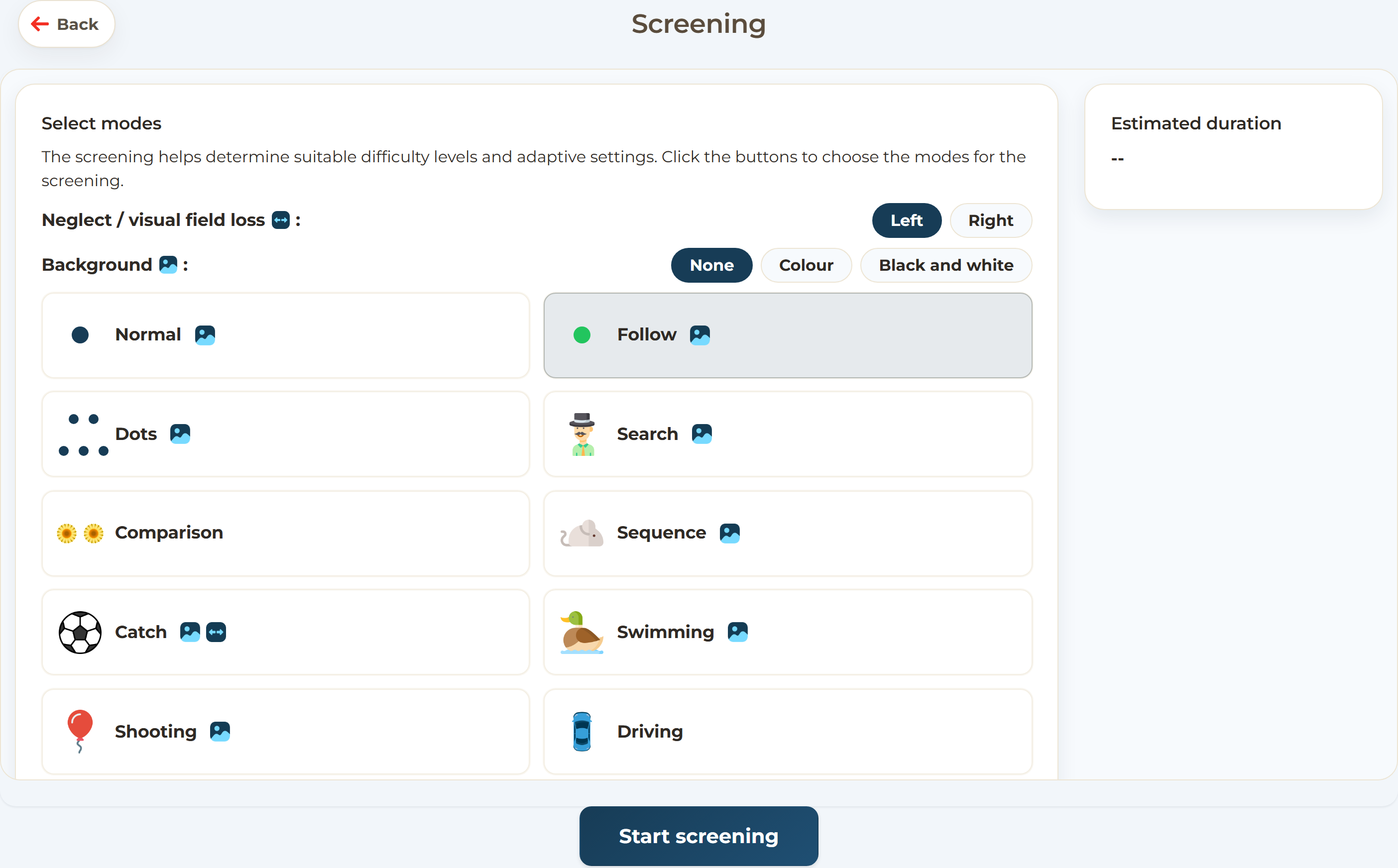
Screening. Determines a suitable starting level for each exercise.
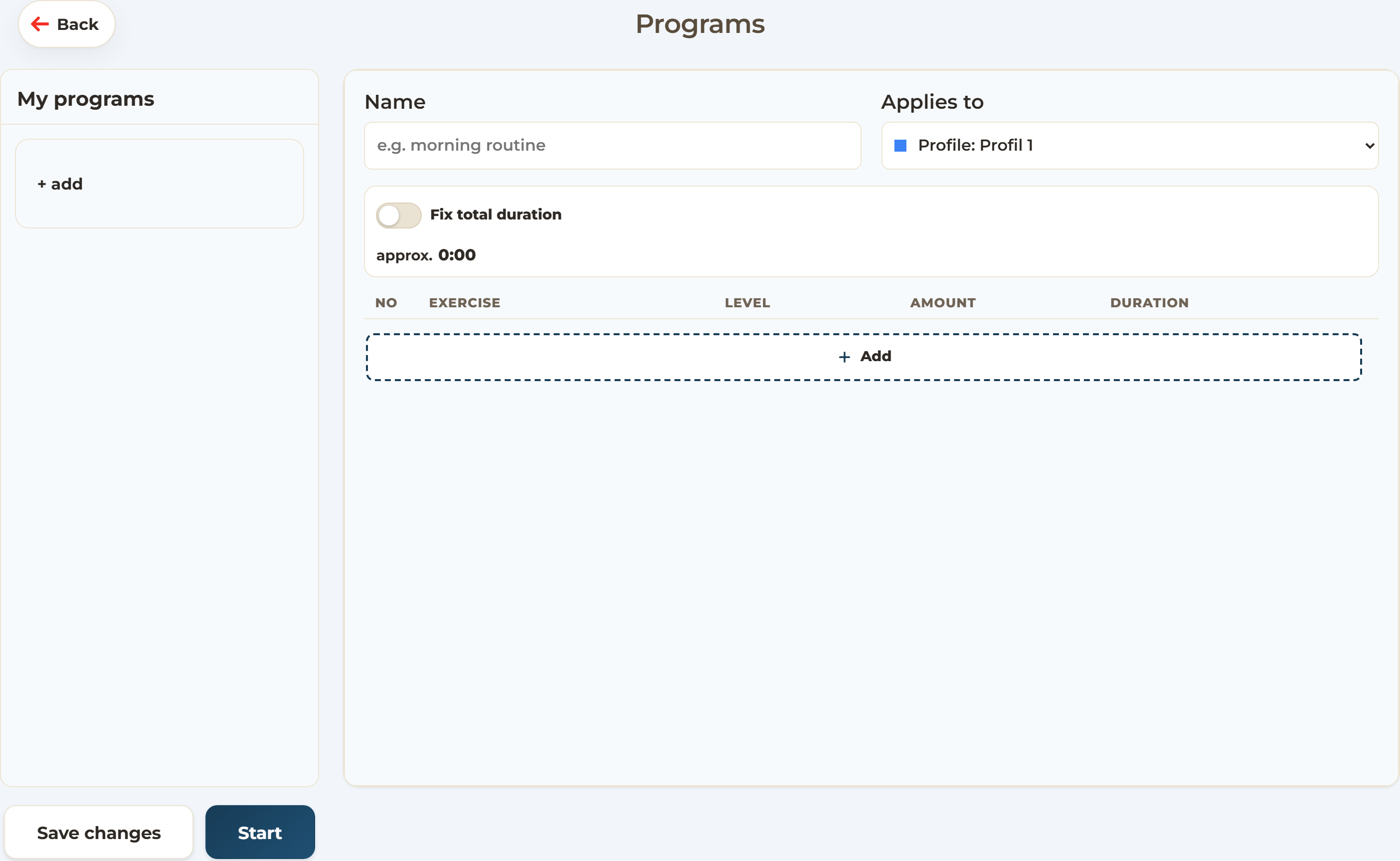
Programs. Put together a fixed sequence of several exercises.
Profiles
As a private user you train directly — your results are saved automatically. Therapists create
a separate profile for each person they support and select it before training; it saves the
status of each exercise, the settings, results and medals.
Screening
Put together the screening's exercise selection freely and, if needed, set the neglect side and
the background; the estimated duration is shown as you go. The recommendations are only applied
to the profile with Save and finish.
Programs
A program is a fixed sequence of several exercises — ideal for recurring routines. Programs can
be named, assigned to a profile and started with one click.
Profiles, screening & programs04
Saccade training
Analysis & settings
Analyse
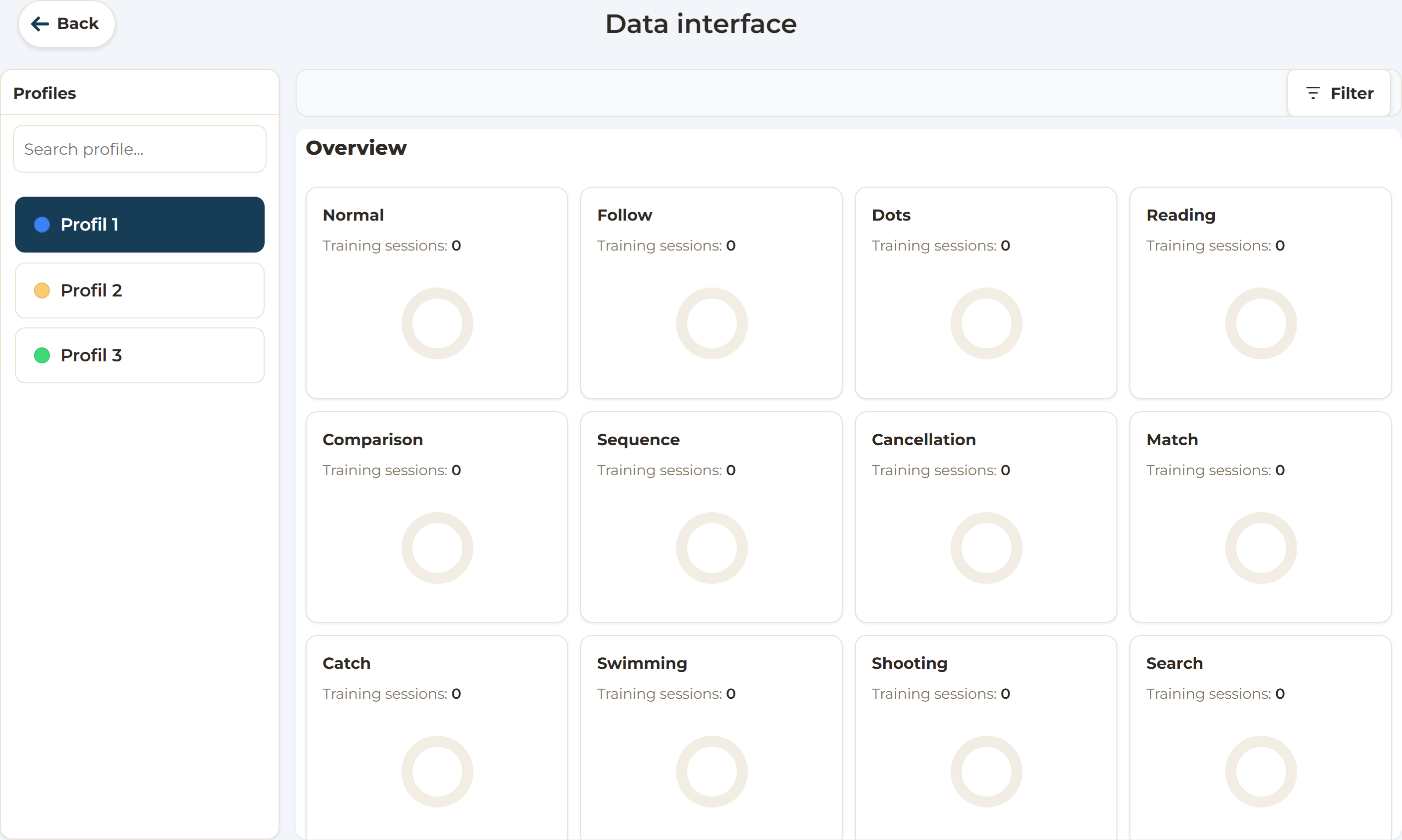
Progress in the data interface.
The data interface shows a profile's entire training history. The settings adapt each exercise to
the person training.
Data interface. Profiles on the left, the analysis on the right.
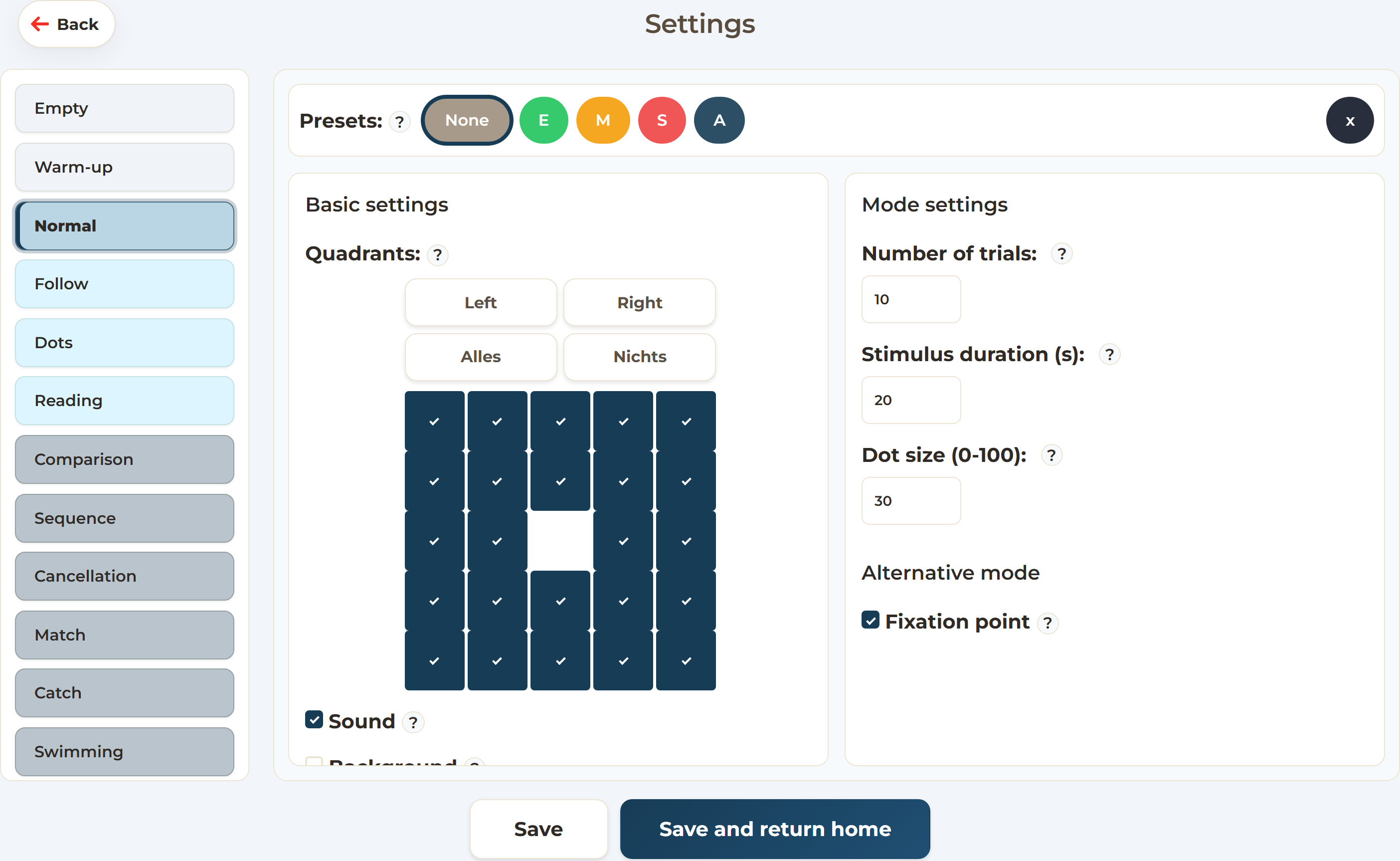
Settings. Parameters per exercise and global options.
In the data interface, select a profile on the left. The overview shows completed
sessions, the levels reached and progress over time; the filters at the top narrow down the period.
In the settings, you adjust each exercise — pace, grid size, target size,
background. Global options such as dark mode and the language apply to the whole application.
Analysis & settings05
Saccade training
Tips & contact
Good to know
Tips for everyday training.
A few recommendations for effective and pleasant training.
Therapists select the person's profile before training; as a private user you train directly.
Start with a screening and repeat it after longer breaks.
Train briefly and regularly rather than rarely and at length.
Use programs to put together a fixed routine of several exercises.
Switch on dark mode if you are sensitive to light.
Most exercises can be operated with keyboard, mouse or touchscreen; the webcam games are
controlled with hand movements in front of the camera.
Something unclear or not working? Use «Feedback» on the home screen or «Report a problem»
during an exercise to send us a message directly.
Controls
Each exercise's instructions show the matching controls — here are the main ones:
Mouse
Tap
Spacebar
Enter
Left arrow
Right arrow
With the «Exit» button (top right), you can leave an exercise at any time.
Learn more
The complete user manual with all exercises, the settings glossary and all guidance can be
found at docs/Bedienungsanleitung.html. Questions and feedback are welcome at
sakkadentraining.ch.

 Mouse
Mouse Tap
Tap Spacebar
 Enter
Enter Left arrow
 Right arrow